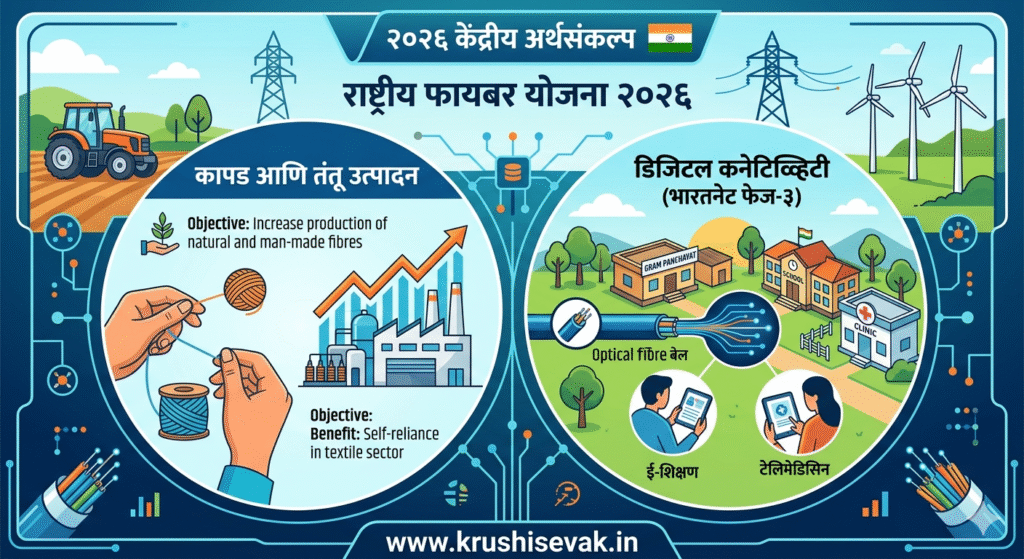

The textile industry has long been a foundational pillar of global economics, rural livelihoods, and industrial manufacturing. In a decisive move to revolutionize this sector, the Government of India, through Union Finance Minister Nirmala Sitharaman, officially unveiled the National Fibre Scheme 2026 during the presentation of the Union Budget 2026–27.
Functioning as a core flagship sub-component of the newly proposed Integrated Programme for the Textile Sector, this umbrella scheme marks a paradigm shift. For the first time, India is consolidating disparate sector-specific initiatives into a unified national strategy. The primary goal is achieving absolute self-reliance across the entire fibre spectrum—encompassing traditional natural fibres like silk, wool, and jute, alongside man-made fibres (MMF) and disruptive, new-age technical textiles.
This comprehensive guide breaks down the core objectives, structural components, target beneficiaries, eligibility criteria, and the detailed National Fibre Scheme 2026 apply process.
1. Objectives of the National Fibre Scheme 2026
Historically, Indian textile policies operated in silos. Silk had its own individual mandates, jute was managed separately, and modern synthetic polymers faced completely different supply chain mechanisms. The National Fibre Scheme 2026 dismantles these barriers to establish an interconnected ecosystem.
The primary objectives of the scheme include:
- Achieving Absolute Self-Reliance: Reducing heavy import dependence on raw materials, particularly raw silk and specialized man-made synthetic filaments.
- Empowering Rural Livelihoods: Scaling up the earning capacities of sericulture farmers, jute cultivators, and wool shearers across key traditional clusters.
- Boosting Production Capacities: Assisting India in achieving ambitious production milestones, such as helping the raw silk sector jump from its current ~39,000 metric tonnes annually to a targeted 50,000 metric tonnes by 2030.
- Fostering Innovation in Technical Textiles: Incentivizing the research, development, and high-volume production of “new-age” fibres used in medical, automotive, aerospace, and defense applications.
- Upgrading Infrastructure: Integrating modern technology into traditional processing sectors to enhance yarn quality and lower the carbon footprint of production.
2. Core Components and Fibre Classifications
The scheme splits its funding allocations and structural focus into three distinct structural brackets:
A. Natural Fibres (Silk, Jute, and Wool)
- Silk Sector: Heavily integrated with the Central Silk Board (CSB). The scheme heavily subsidizes structural upgrades for mulberry plantations, automatic reeling machines (ARMs), and disease-resistant silkworm seed production.
- Jute Sector: Focuses on modernizing jute cultivation practices, eco-friendly retting processes, and diversifying jute usage beyond basic gunny bags into high-end lifestyle products and geotextiles.
- Wool Sector: Aims to improve domestic wool grading, establish collective wool-scouring units, and enhance the genetic strain of sheep to produce finer apparel-grade wool domestically.
B. Man-Made Fibres (MMF)
Recognizing that global fashion consumer patterns are majorly skewed toward synthetics, the scheme offers capital support to scale up the domestic production of Polyester, Nylon, Acrylic, and Viscose. By subsidizing high-tech spinning systems, the government aims to lower the cost of raw inputs for apparel manufacturers.
C. New-Age & Technical Fibres
This subset targets advanced industrial materials, including carbon fibres, aramid fibres, glass fibres, and bio-degradable polymer blends. Subsidies are allocated toward setting up advanced testing laboratories and research facilities in partnership with top academic institutions.
3. Eligibility Criteria for Applicants
To ensure the benefits reach the grass-roots level as well as genuine industrial innovators, the Ministry of Textiles has structured clear eligibility segments:
| Category of Applicant | Targeted Eligible Activities / Requirements |
|---|---|
| Individual Cultivators / Farmers | Sericulture (silk) farmers, jute farmers, and traditional wool herders registered with local agricultural or cooperative boards. |
| MSMEs & Textile Startups | Small-scale spinning units, automated reeling centers, and innovative startups working on eco-friendly or recycled fiber alternatives. |
| Self-Help Groups (SHGs) & Cooperatives | Registered primary weaver societies, rural women collectives, and Farmer Producer Organizations (FPOs). |
| Large Industrial Scale Manufacturers | Corporations setting up mega-capacity man-made fibre plants or technical textile extrusion facilities meeting minimum capital investment floors. |
4. Key Benefits to Participants
Enrolling successfully in the National Fibre Scheme opens doors to highly specialized financial and structural resources:
- Capital Subsidy for Machinery: Financial assistance ranging from 20% to 50% on the procurement of automated reeling machines, advanced spinning tools, and processing setups.
- R&D Grants for Advanced Fibres: Financial backstops for companies developing high-performance, new-age textiles, or circular/upcycled eco-fibres.
- Establishment of Common Facility Centers (CFCs): Cooperatives can apply for 100% government-assisted funding to build common testing labs, certification bureaus, and raw material banks.
- Direct Benefit Transfer (DBT): Subsidies for seeds, fertilizers, and basic processing tools for micro-scale artisans and sericulture farmers are sent directly to linked bank accounts.
5. Step-by-Step Guide: National Fibre Scheme 2026 Apply Process
As the Ministry of Textiles rolls out the integrated framework, the application pipeline has been streamlined through a central online interface to promote transparency and ease of doing business. Below is the comprehensive step-by-step application walkthrough.
Step 1: Pre-Registration and Profile Creation
- Go to the newly designated official national textile portal (or the integrated Ministry of Textiles portal).
- Click on the “National Fibre Scheme 2026 – Apply Online” link prominently displayed on the homepage.
- Select your registration type: Individual Farmer / FPO / MSME / Corporate.
- Enter your basic credentials: Aadhaar Card (for individuals), PAN Card, and your Active Mobile Number.
- Verify your account via the Secure One-Time Password (OTP) sent to your mobile device.
Step 2: Document Verification and Uploading
Before initiating the core application form, ensure you have scrupulously scanned and organized the necessary legal and industrial documents.
Mandatory Documentation Checklist:
- Identity Proof: Aadhaar Card, Voter ID, or Passport.
- Business Proof: Udyam Registration Certificate (for MSMEs) or Incorporation Certificate.
- Land & Origin Records: Land ownership or lease documents (essential for Jute, Silk, and Wool farmers to verify active cultivation areas).
- Detailed Project Report (DPR): For MSMEs and Large Enterprises outlining planned machinery costs, projected output metrics, and employment generation capacity.
- Bank Details: Cancelled check or bank passbook copy linked explicitly with your Aadhaar for Direct Benefit Transfers.
Step 3: Completing the Specific Scheme Application Form
- Log in with your verified credentials.
- Select the specific operational track matching your sector: Natural Fibre Development, Man-Made Fibre Expansion, or Technical New-Age Fibres.
- Carefully populate the application data fields, including exact investment estimates, employment expansion predictions, and geographic location details of your industrial plant or farm plot.
- Upload all corresponding soft copies from your prepared document checklist into their designated fields. Ensure files do not exceed the stated file size limits (typically 2MB per PDF).
Step 4: Submission and Field Inspection Routine
- Review your filled application form for minor errors or data mismatches.
- Hit the “Submit Application” button. The portal will generate a unique Application Tracking Reference Number. Print or save this immediately.
- Your application is then routed to local nodal agencies (such as the Central Silk Board or the Jute Commissioner’s Office) depending on your selected fiber track.
- For structural machinery subsidies or common center applications, an designated officer will conduct a scheduled site verification to audit land plots or infrastructure readiness.
Step 5: Sanction and Direct Fund Disbursal
Once the field verification team issues an approval stamp, the application shifts to the financial sanctioning committee. Upon approval, financial allocations are wired directly into the applicant’s verified corporate or personal bank account via standard DBT mechanisms.
6. Challenges and the Road Ahead
While the implementation of the National Fibre Scheme 2026 is an ambitious leap forward, its ultimate success relies heavily on streamlining the ground-level application pipeline. Ensuring that small-scale, remote sericulture and jute farmers—who frequently face digital literacy barriers—can navigate the online system effectively is a primary challenge. To counter this, the government plans to establish localized help desks across traditional textile hubs and utilize common service centers (CSCs) to bridge the digital gap.
By bridging traditional, ancestral craft methods with modern synthetic manufacturing practices under a single umbrella, India is pacing to establish an incredibly resilient supply chain. This scheme guarantees that from raw agricultural yield right down to global fashion runways, the domestic textile sector remains competitive, sustainable, and highly profitable.
For a visual breakdown of the Union Budget 2026-27 policy announcements regarding this sector, check out the Union Budget 2026-27: National Fibre Scheme